Every project, every dollar, every decision. Read in one glance.
BuildAgent reads your drawings, specs, schedules and pay applications, then keeps a live picture of each job: what moved, what is late, what is waiting on you, and why. It replaces the weekly chase with a system that already knows.

It reads the documents
Upload the design set and specs. BuildAgent indexes every sheet and section, reads their content, and grounds every answer, estimate and schedule on them.
It explains itself
Health scores, briefings and reports do not just show a number. Each one names the item that moved it and what to do about it.
One set of numbers
Contracts, change orders, pay applications, cost control and reports all read the same facts. Billed to date is the last certified application, everywhere.
Every party sees only its own
Owner, GC, A/E, subs and inspectors each get the view their role should have. Files, money and letters follow the record they belong to.
Every project on one page, with its money
Owners and executives open one screen and see the whole portfolio: health, billed to date against contract, what needs attention this week, and the quarter-by-quarter timeline of each job.
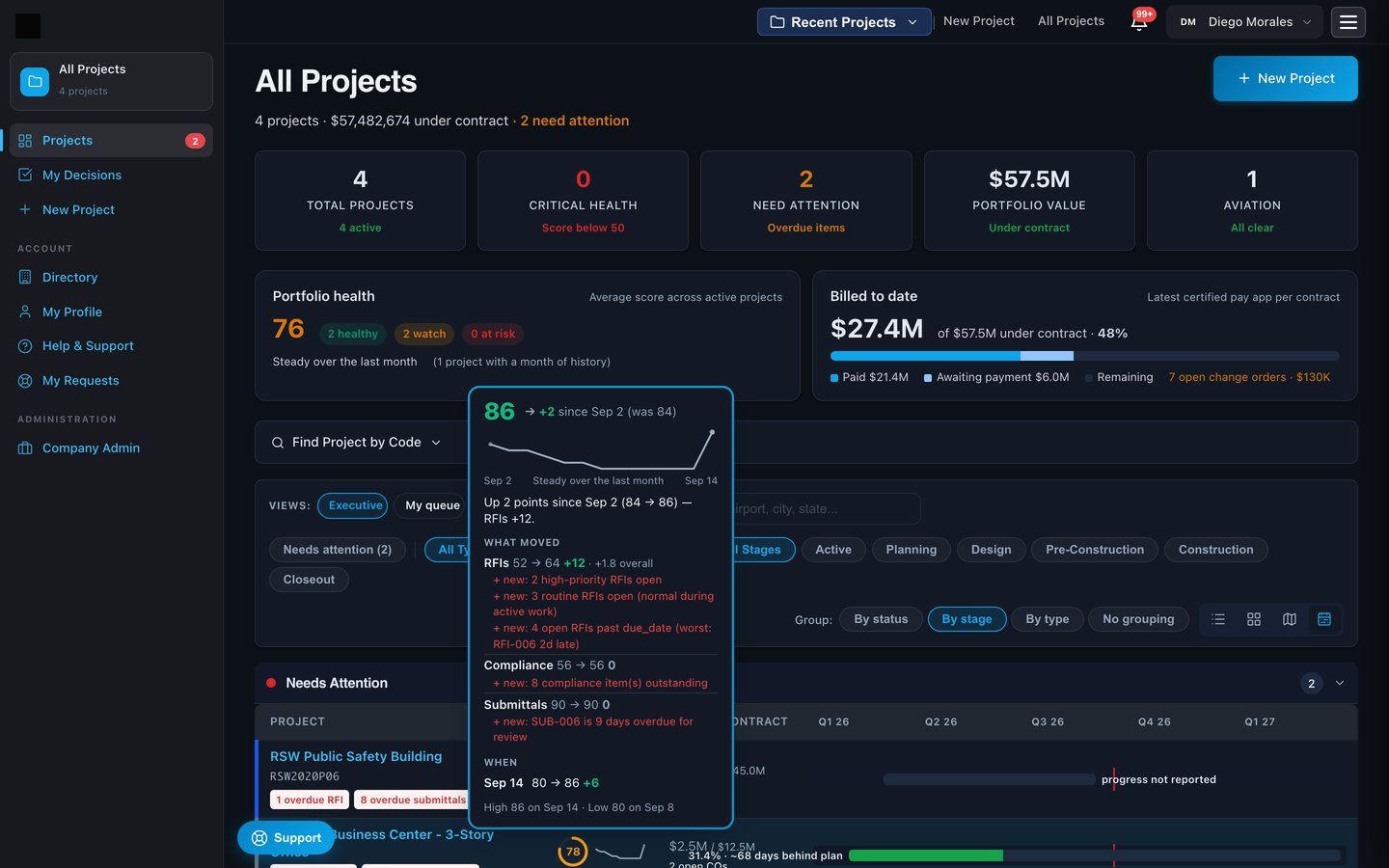
- A health score you can interrogate. Five weighted factors, recomputed daily, with a 30-day line on every project. Hover it and the system tells you what changed and why.
- Money on the landing page. Billed to date is the latest certified pay application per contract, paid and awaiting payment split out, open change orders counted.
- Views you can save. Executive, my queue, needs attention, by type, by stage, by status. Aviation and commercial side by side.
A dashboard that tells you what needs you, not just what exists
The overview is built around action. Each tab carries a count of items waiting on someone, and the biggest drag on the score is named in plain words.
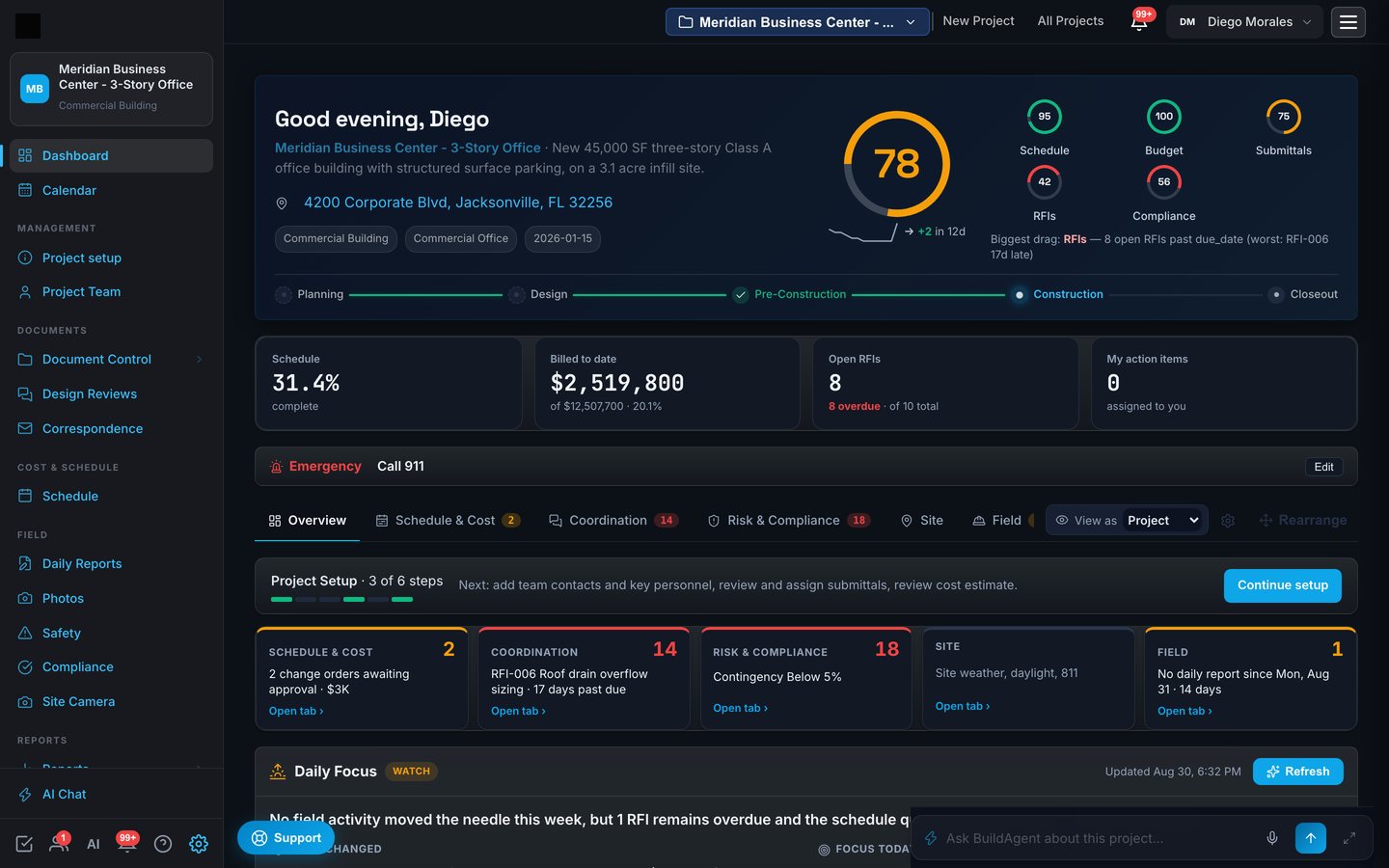
- Biggest drag, in words. "8 open RFIs past due, worst RFI-006, 17 days late." No digging.
- Stage bar. Planning to closeout with readiness checks before each transition.
- Role-aware. The same dashboard shows an owner the owner's numbers and a sub only its own.
Your morning briefing, written by the system
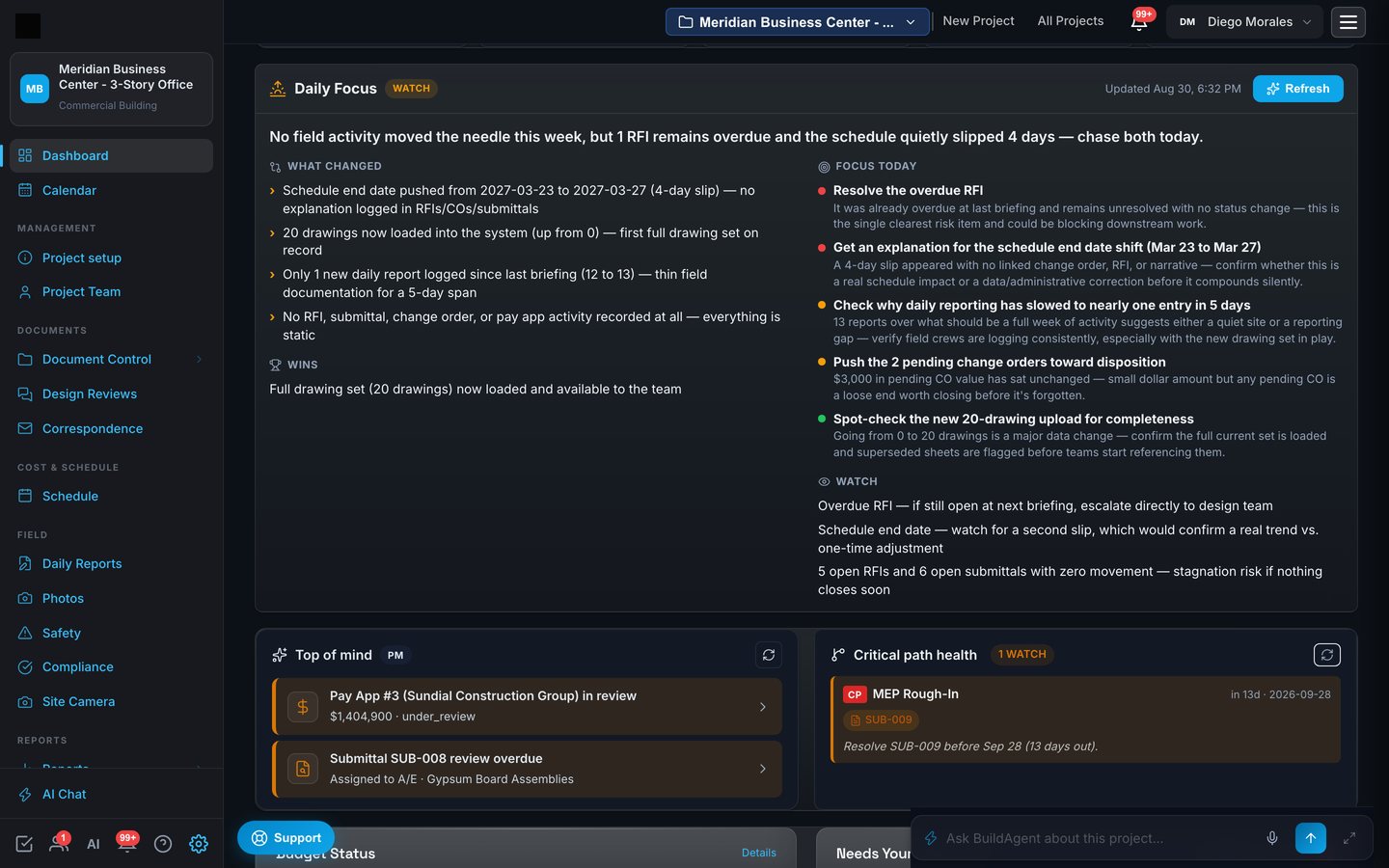
Every morning BuildAgent writes a short, honest briefing per project: what changed since yesterday, what to focus on today, what to watch, and the wins. It reads the actual records, so it never invents progress.
Ask the project anything
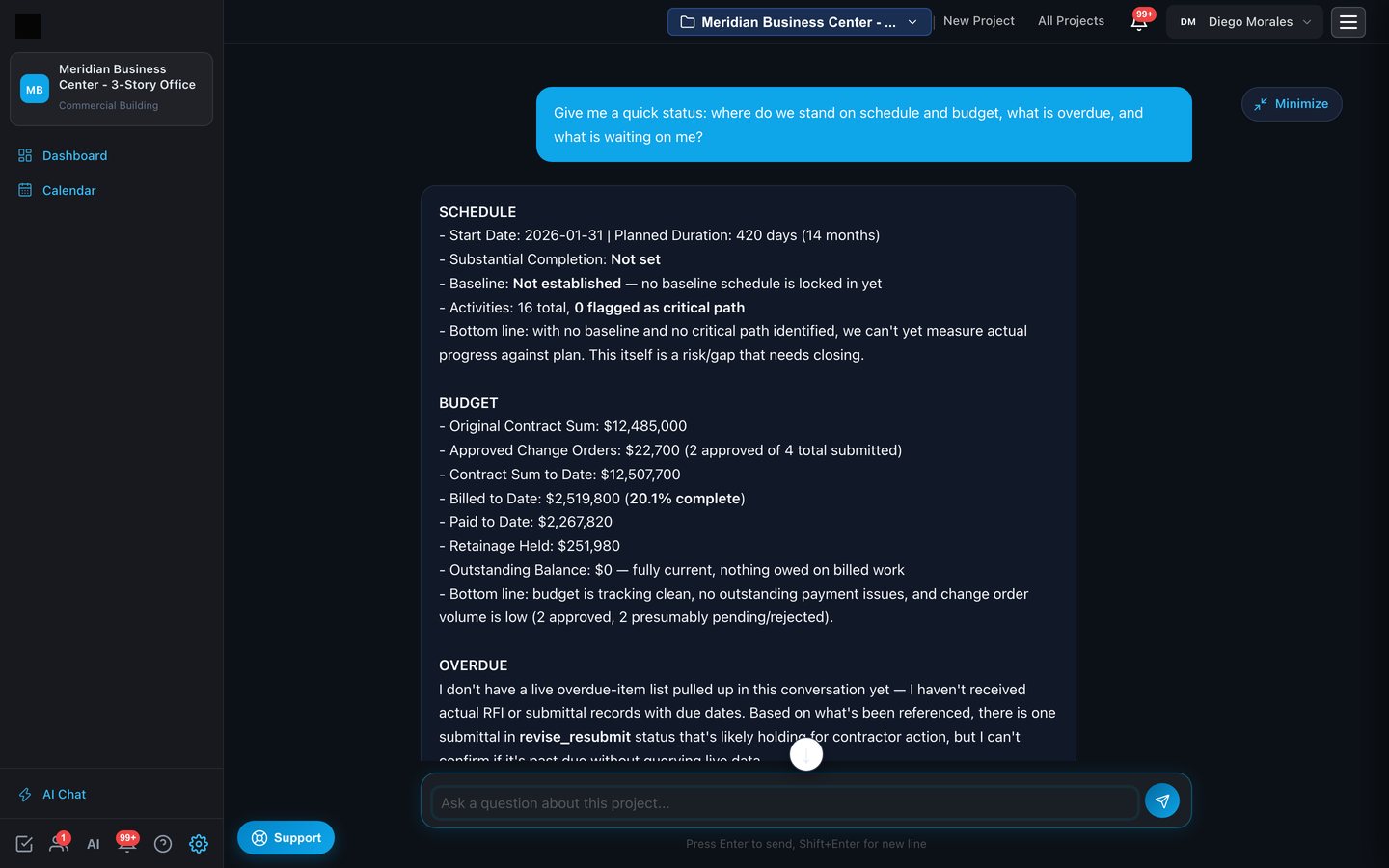
The chat is grounded on your drawings, specs, schedule, contracts and pay applications. Ask where you stand, and it answers with the project's own numbers, then offers to run the query that would close any gap.
- Answers cite the record. Contract sum, approved change orders, billed and paid to date, retainage, straight from the ledger.
- Honest about gaps. When something is not on file, it says so and proposes the next step instead of guessing.
- Drafting built in. RFIs and letters drafted from the spec section and the drawing they concern.
Cost control and contracts that agree with each other
One contract tree drives everything: the prime, the subs beneath it, every change order and pay application. Cost Control, Contract Administration, the dashboard cards and the reports all read the same facts, so the number on the report is the number on the certificate.
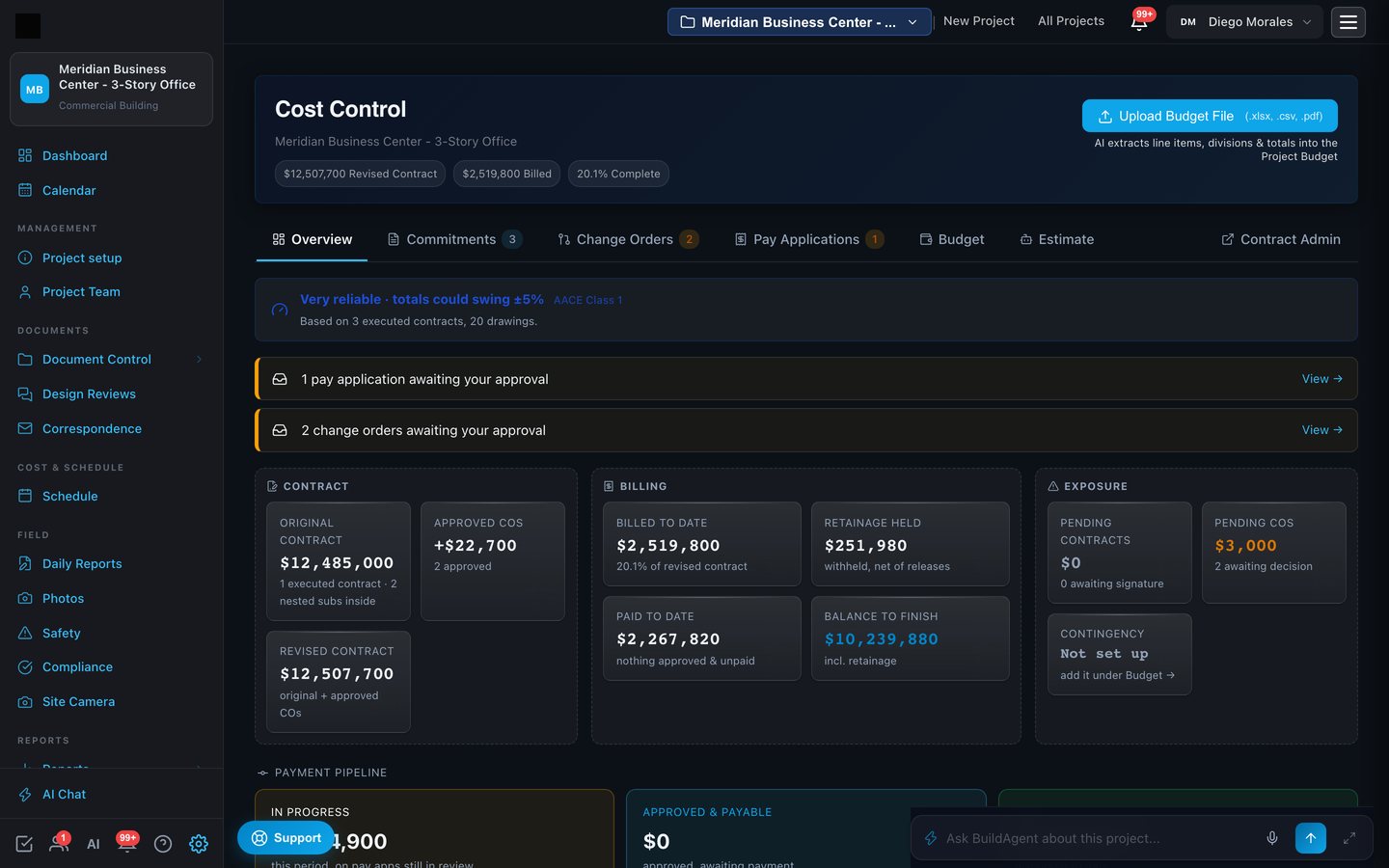
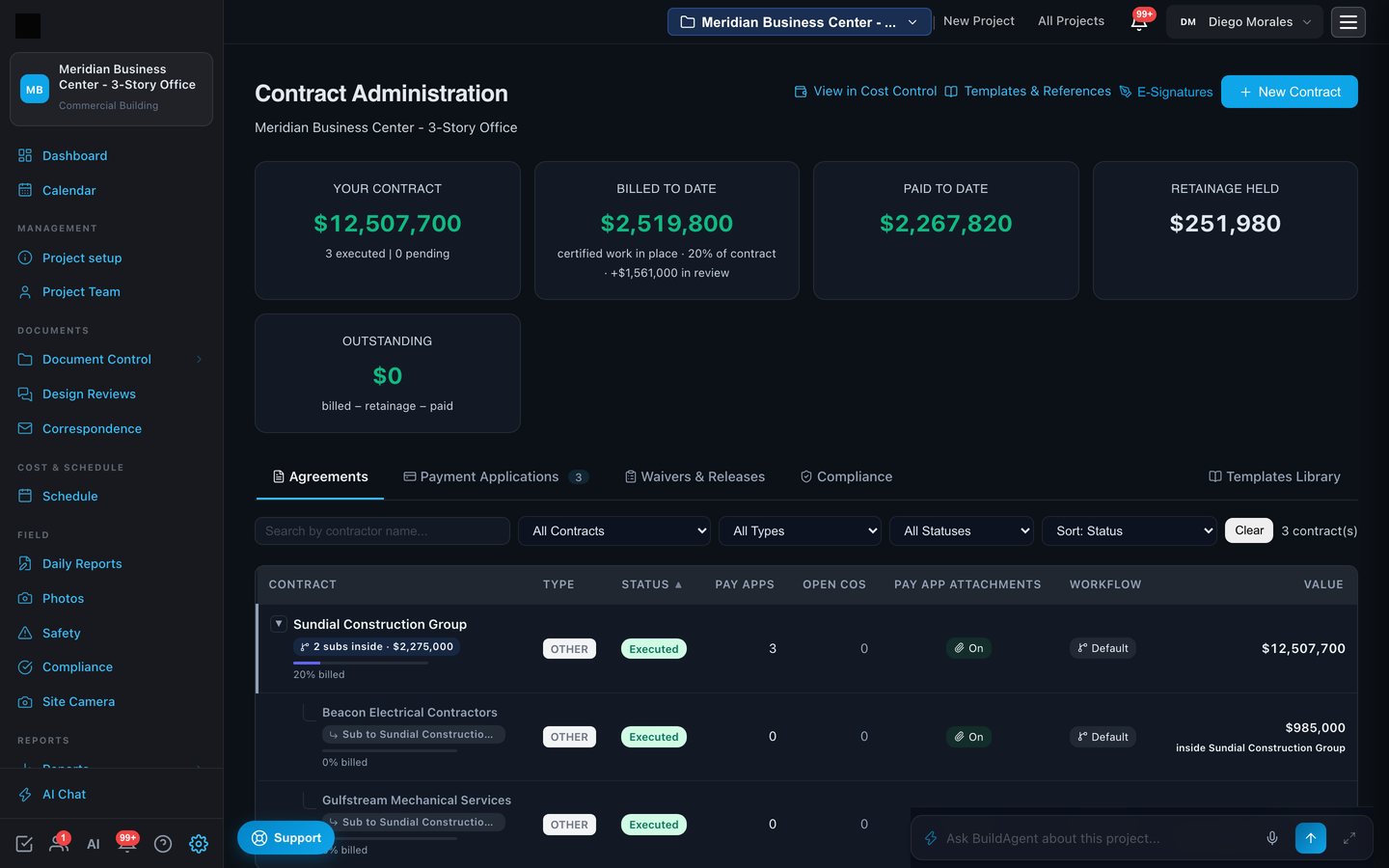
- Executed contracts change only through change orders. Amendments stay for scope and dates. The audit trail is the contract history.
- Billed to date is the last certified application. Work under review shows as "in review", never as billed. Outstanding is always billed minus retainage minus paid.
- Job cost for the GC. Cost codes, actuals, cost to complete, estimate at completion and projected profit, visible only to the GC's own seats.
Certified, signed and paid without leaving the page
A pay application moves through contractor, architect and owner in a routing the project sets once. Each step signs in the app with a typed legal signature, or through DocuSign, and the certificate records every signature with time, address and who placed it.
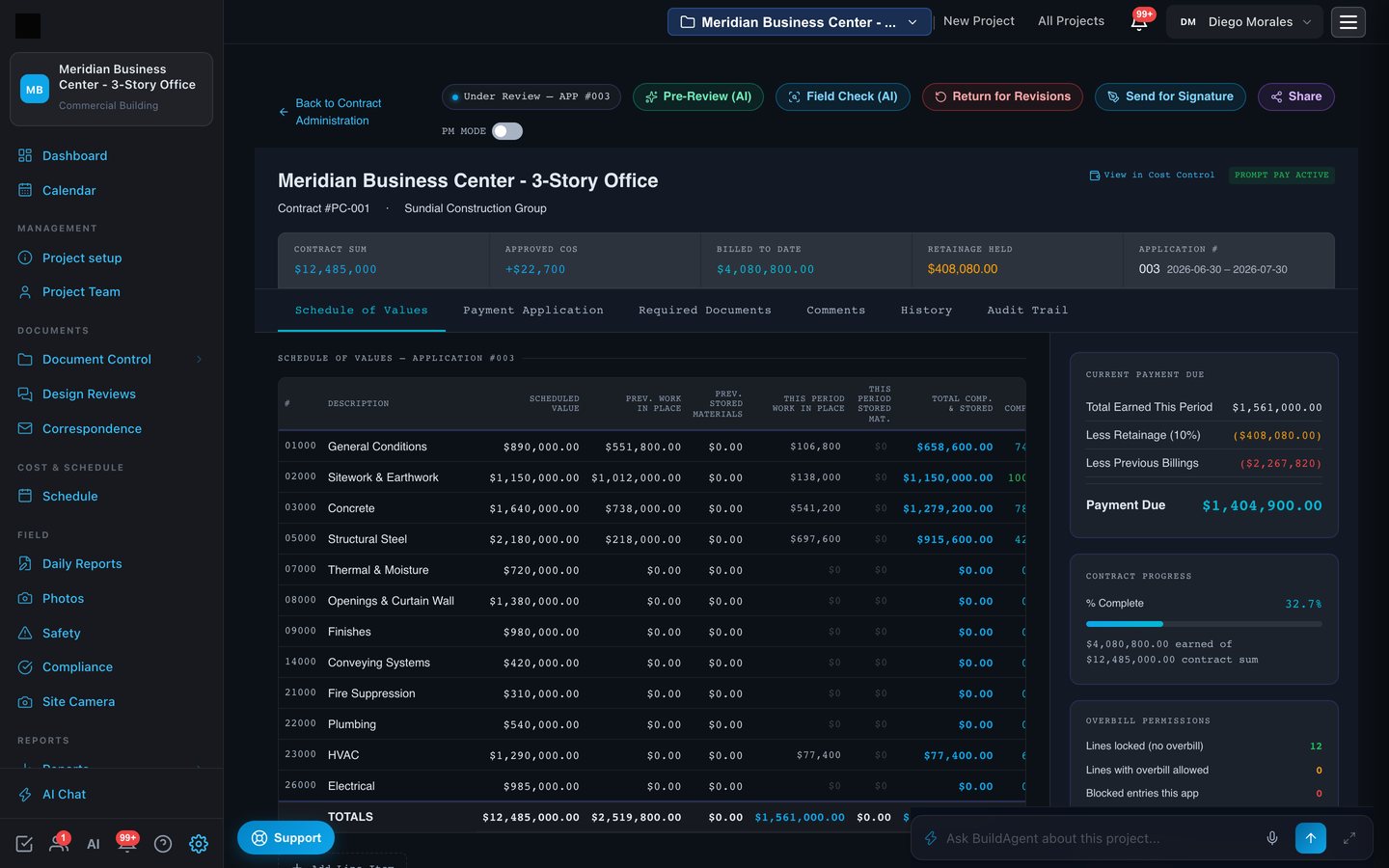
- AI pre-review before humans sign. Overbilling against the schedule of values, arithmetic, retainage and required documents flagged before the certificate goes out.
- Lien waivers travel with the application. The GC attaches its waiver package, including the subs' waivers, and the owner accepts it as part of approval. The owner sees that everyone on the job is being paid.
- Share a certificate securely. View-only links for lenders and payers, watermarked while draft, final when certified.
Everything waiting on your signature, in one queue
An owner should never hunt for the next decision. The cockpit lists every pay application and change order waiting on you, what it costs, how long it has waited, and what is coming next in the chain.
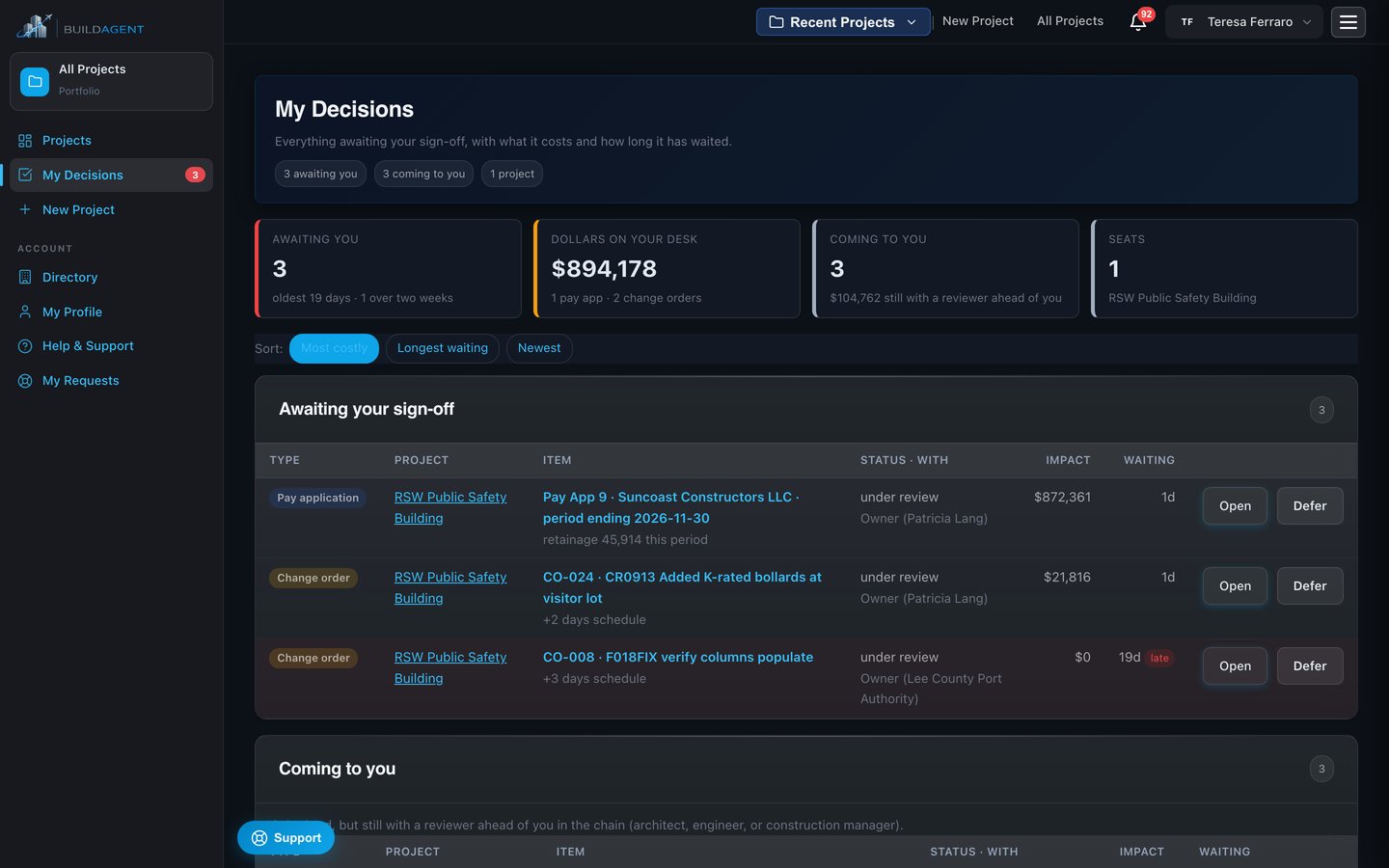
- Open or defer, on the record. Deferring needs a reason and a resurface date. The team is told.
- Coming to you. Items still with the architect or engineer, so nothing surprises you.
- Impact first. Dollar value on every row.
A schedule that knows its critical path
Import from Primavera P6, Microsoft Project or Excel and keep the file's own float, or let BuildAgent compute float from the logic. Progress logged in the field flows into the schedule, and a re-uploaded baseline can never erase it.
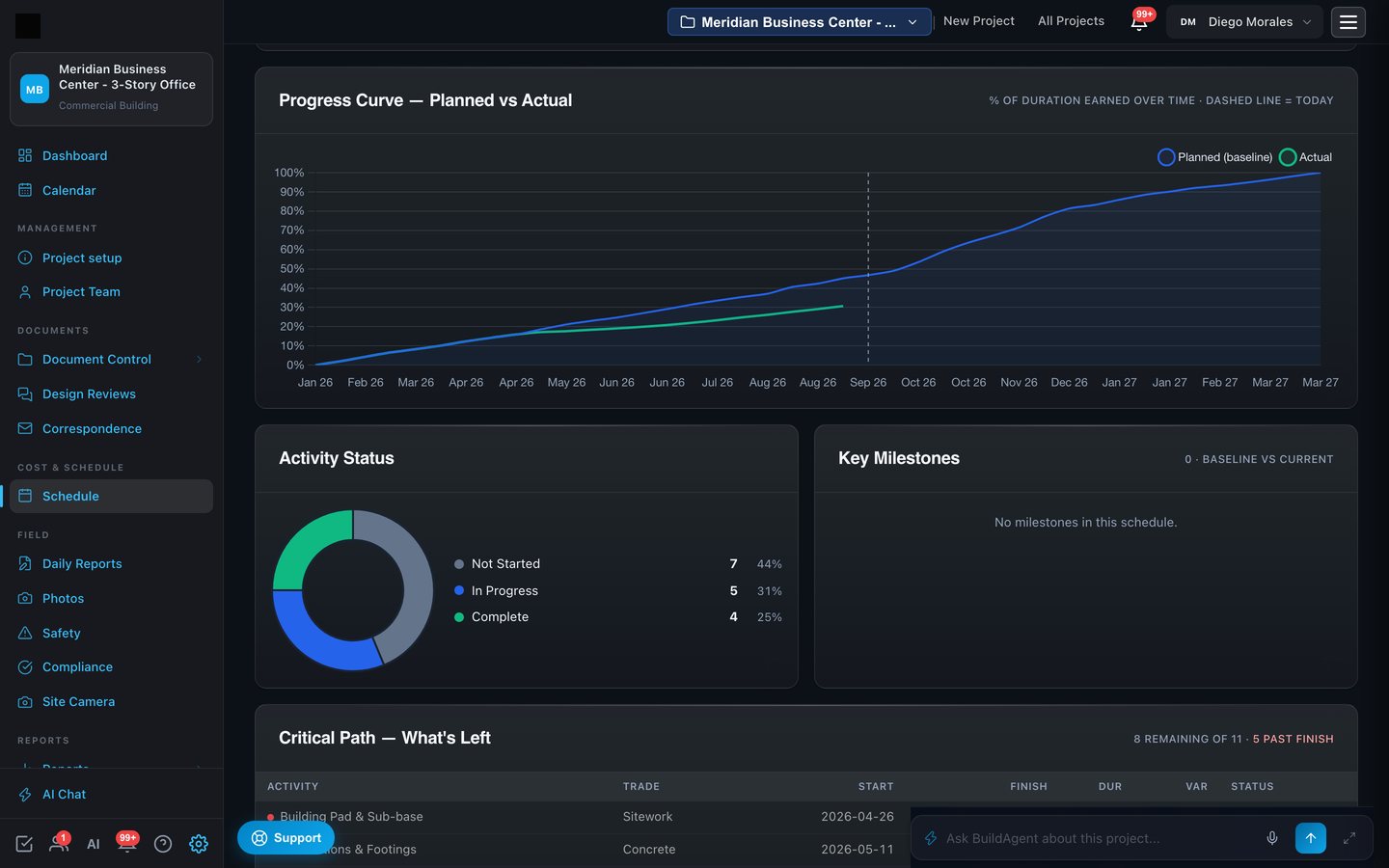
- Three-week look-ahead and trade views built from the same activities, with the project's own workweek and holidays.
- Conflicts resolved, not overwritten. When a new file disagrees with an edit made in the app, you choose which wins, line by line.
- Round trip. Export back to P6, Project or Excel with progress and dates intact.
Submittals and RFIs that never slip quietly
Every submittal carries its review chain and its link to the critical path. Every RFI carries its ball-in-court and its due date. Overdue items surface on the dashboard, in the briefing, and in the health score.
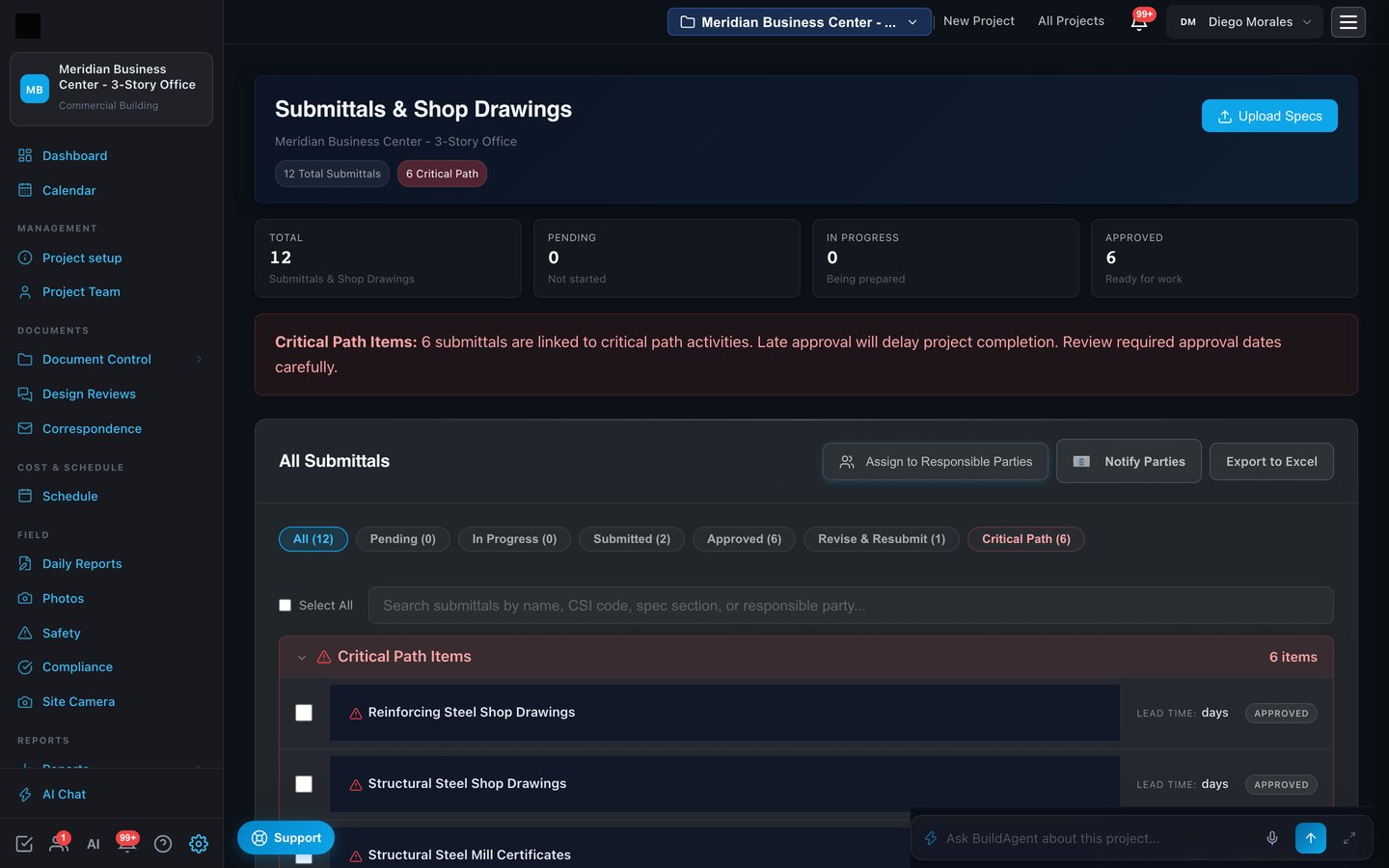
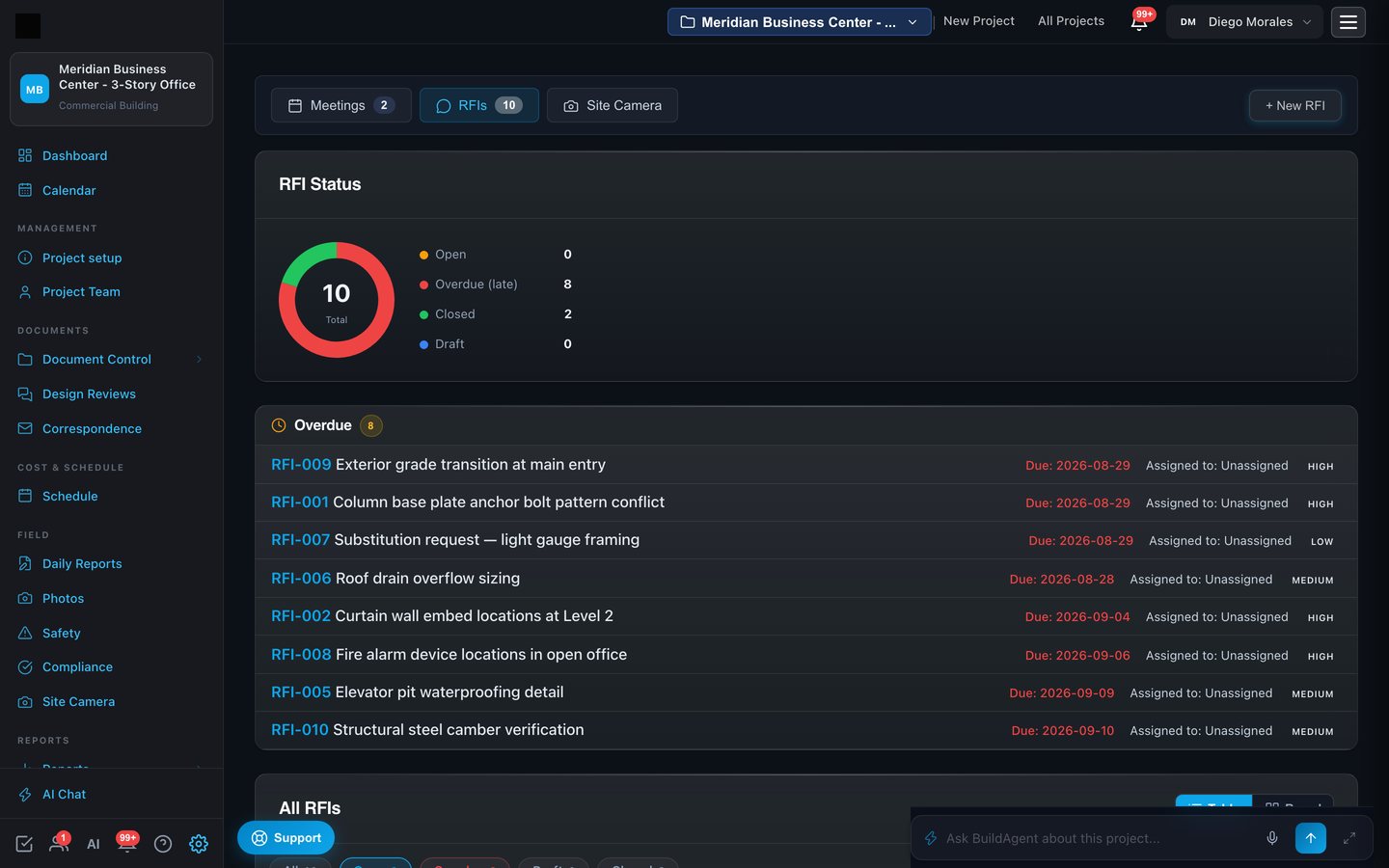
- Submittal extraction. Upload the spec book and the submittal register is drafted from its sections, aviation types included.
- Who may answer, who may approve. The A/E answers what is theirs; the PM approves; nobody signs off their own response.
- Meetings with structured agendas that carry items forward until they close, minutes approved by the PM.
The field, on a phone
Superintendents file daily reports from a phone: manpower by trade, work performed, equipment, photos. Weather and site conditions fill in on their own. The report syncs progress into the schedule and gives the AI real evidence to cite.
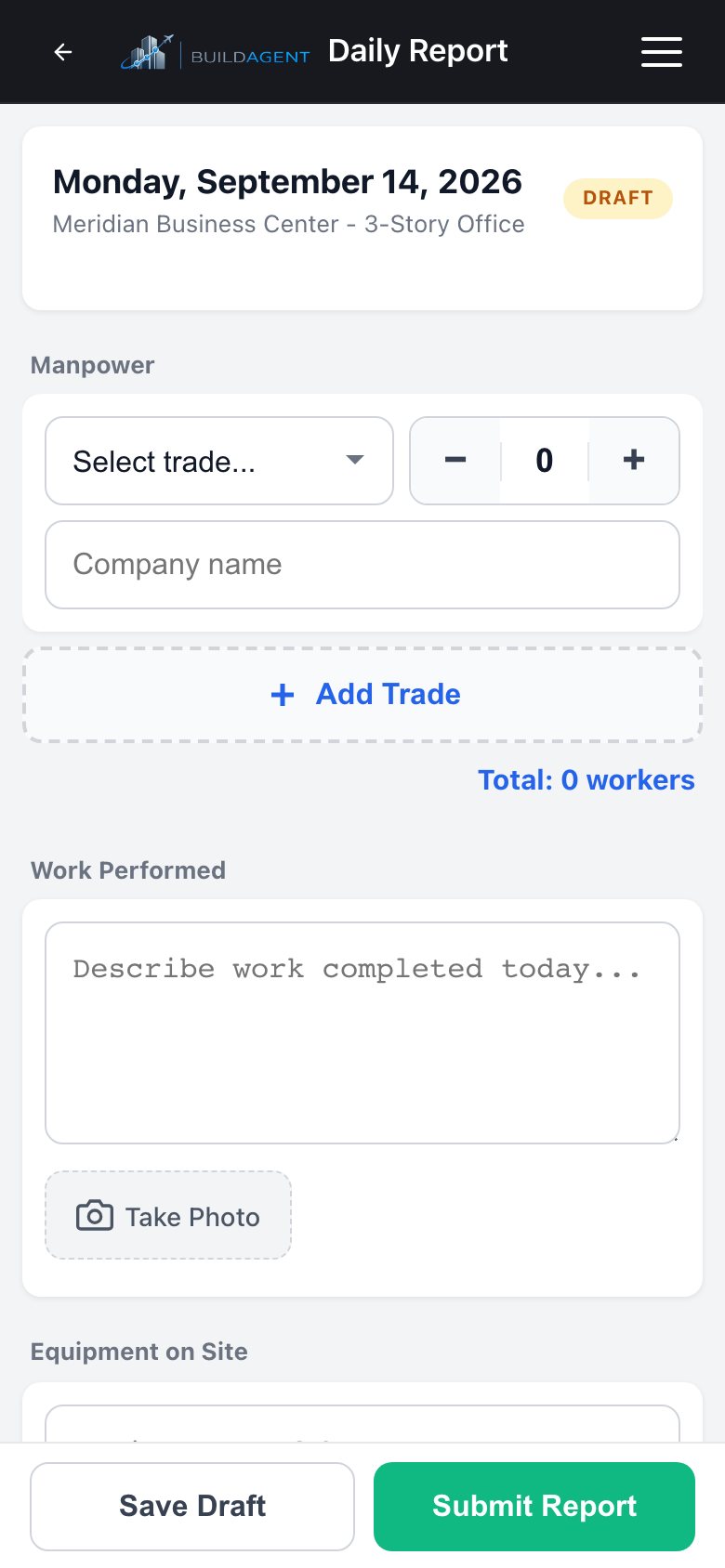
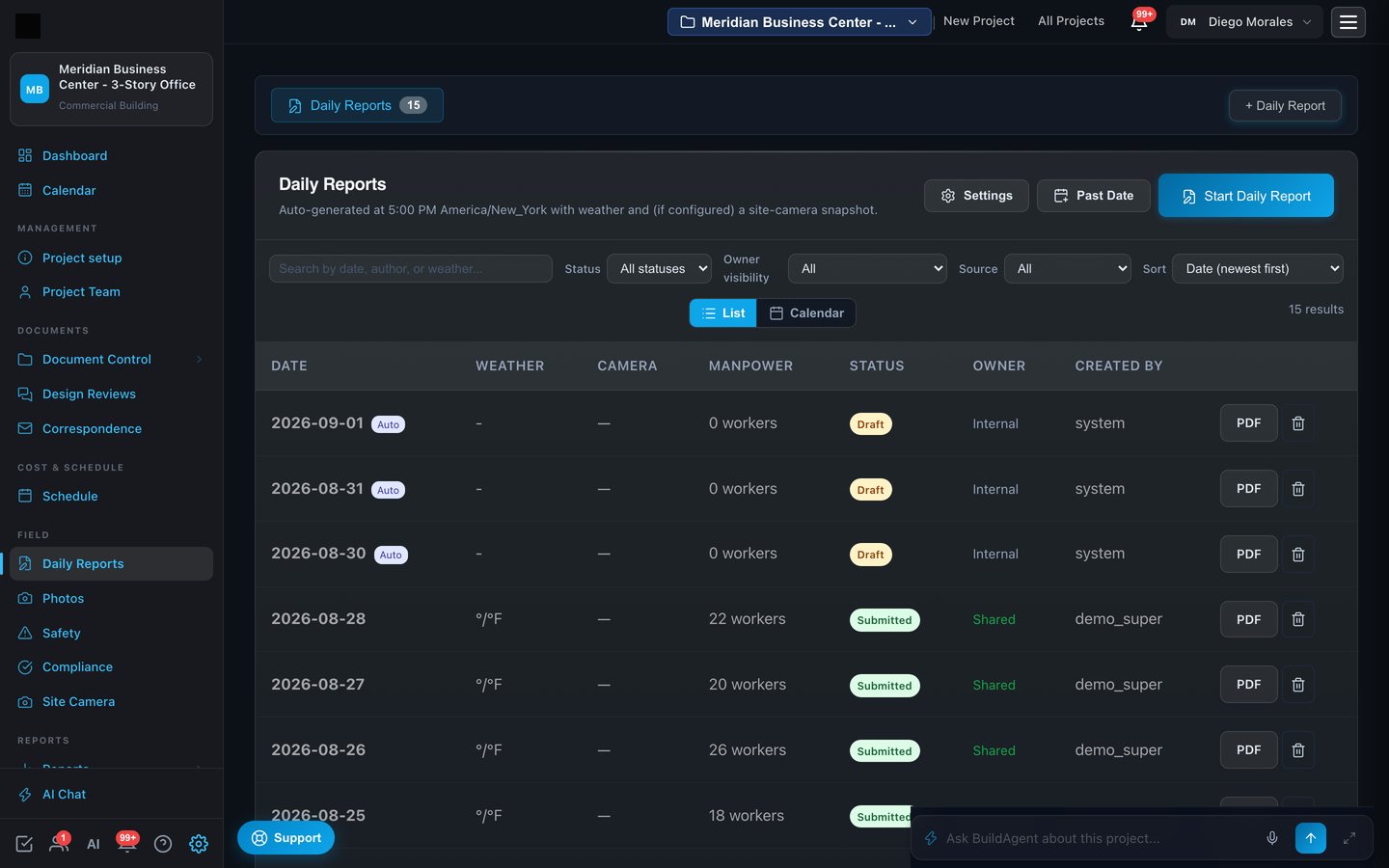
- Field reality check. Billing is cross-checked against what the field actually reported.
- Photos with captions and GPS, searchable in plain language.
- Punch list, safety and inspections on the same phone forms.
Reports that write themselves and go out on schedule
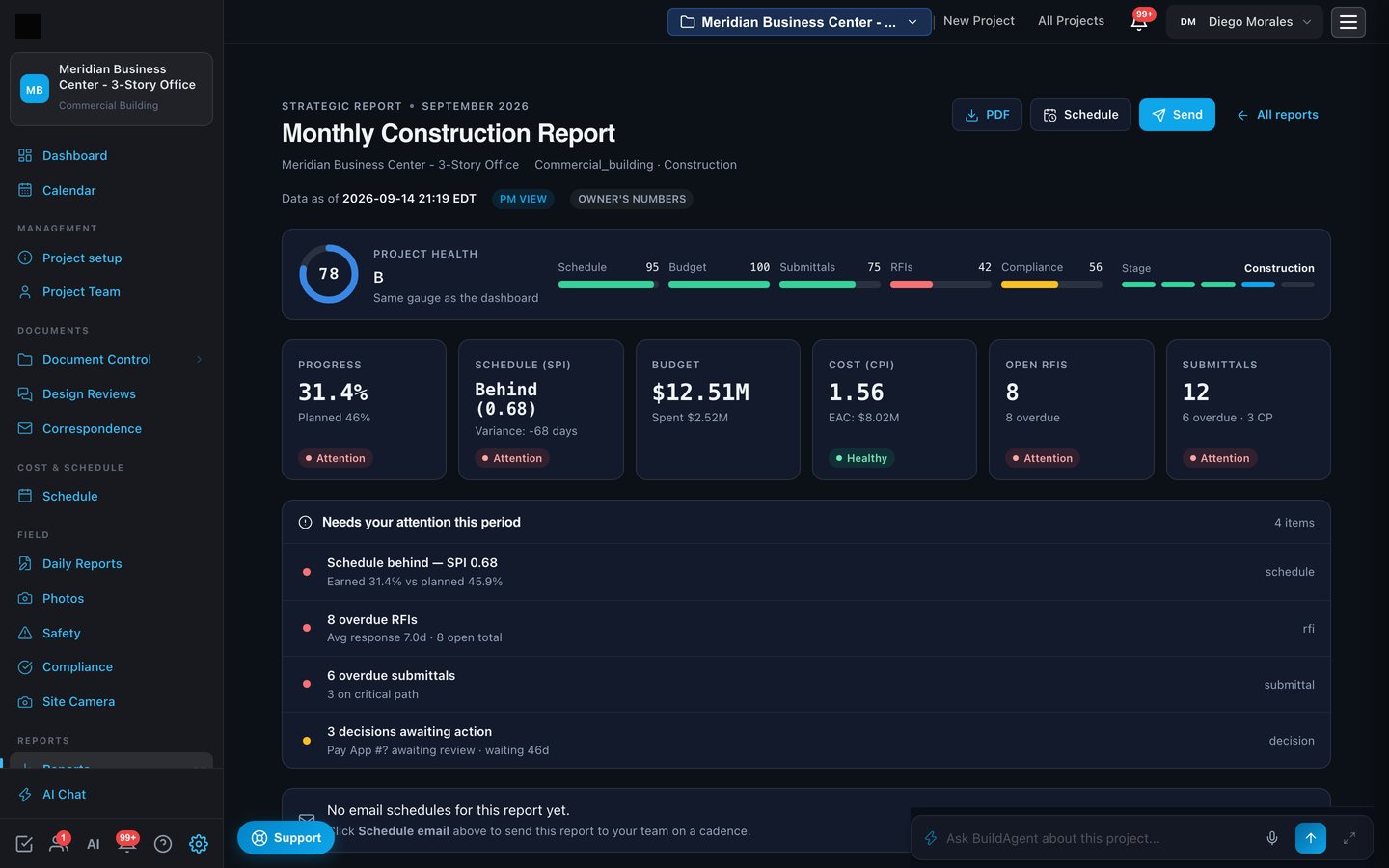
Monthly construction report, project progression, daily field report, owner report. Each renders from live data with the same gauges as the dashboard, exports to PDF, and can be scheduled to your owner's inbox.
Built for airports
Airfield work has its own rules. BuildAgent tracks FAA notifications and determinations, safety plans, badging and security, AIP grant compliance and closeout, and pulls the live NOTAM and weather feeds for your field into the project.
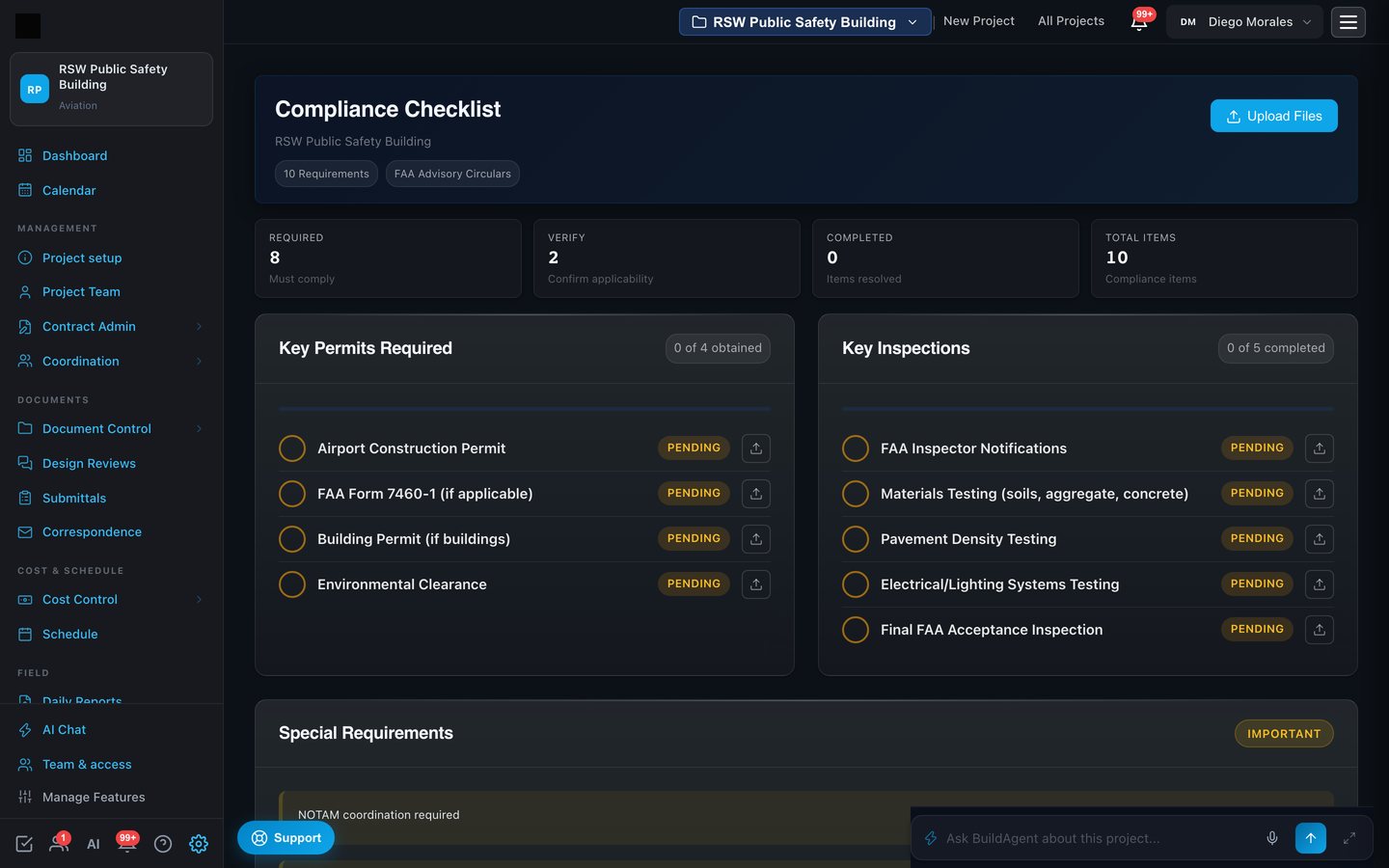
- Determination letters read, not retyped. Upload the FAA letter and its conditions become tracked items.
- Live NOTAMs and weather from the FAA feed for the airport, filtered to the project's work zones.
- Part 139 and AIP framing so the owner's obligations are visible from day one.
Every drawing and spec, indexed and readable
Upload the set once. Sheets are indexed by discipline and revision, specifications by section, and the AI reads the content of each sheet so questions, estimates and schedules are grounded in the real design.
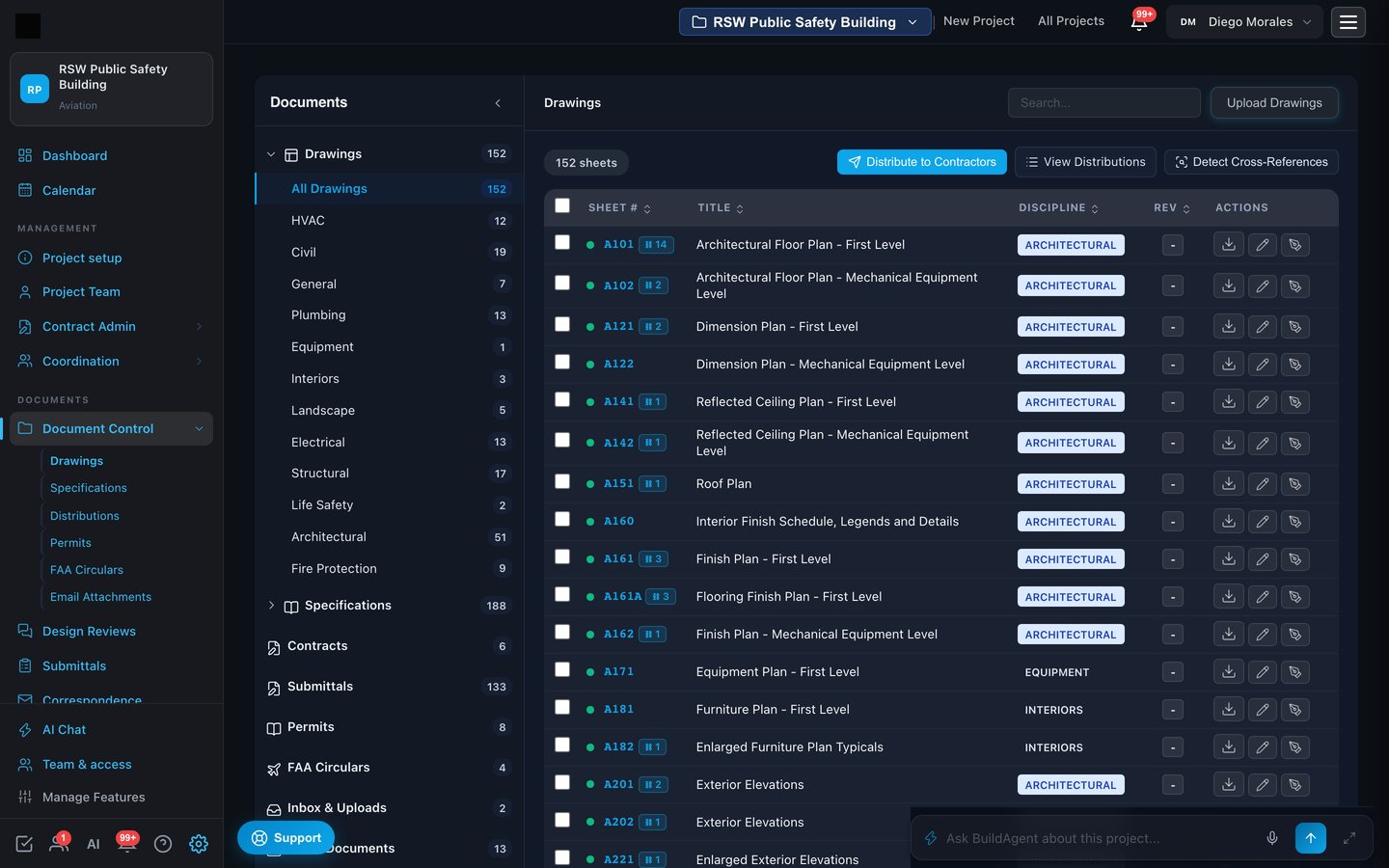
- Design reviews with annotation, issue tracking and AI set review that flags conflicts across sheets.
- Distributions with delivery receipts. Transmittals and enclosures go out by secure link with tracked delivery and acknowledgment.
- Cross-references between details, sheets and spec sections detected automatically.
Your data, your rules
A project has an owner, a contractor, designers, subs and inspectors. Each sees what its role should see and nothing else. That rule holds for pages, for numbers and for every file.
Party-level visibility
A sub sees its own contract, pay applications, waivers and letters. The owner sees the top of the chain and never the GC's nested pricing. Uploaded files follow the record they belong to.
Signatures on the record
Every typed or DocuSign signature carries who signed, when and from where. If someone places a contractor signature on another's behalf, the certificate says so, with the reason.
Accountable accounts
Every person accepts the terms themselves on first entry. Invitations are bound to one email. Account admins manage their own members, unlock and deactivate.
Idempotent by design
A double tap on a phone or a retried request stores one record, never two.
Encrypted, scanned, backed up
Uploads are virus-scanned on arrival, served over TLS, and stored on a managed database with daily backups.
Priced per project
Bring the whole team. The project's plan covers everyone seated on it, subs and inspectors included, with no per-seat fees.
Upload one design set. Watch the project come to life.
Drawings, specs and a schedule are all it takes. Within the hour you have an indexed set, a draft schedule and estimate, a submittal register and a health score, and a system that will keep them current.

Screens shown are from a sample project. Figures are illustrative.